See what your team really costs.
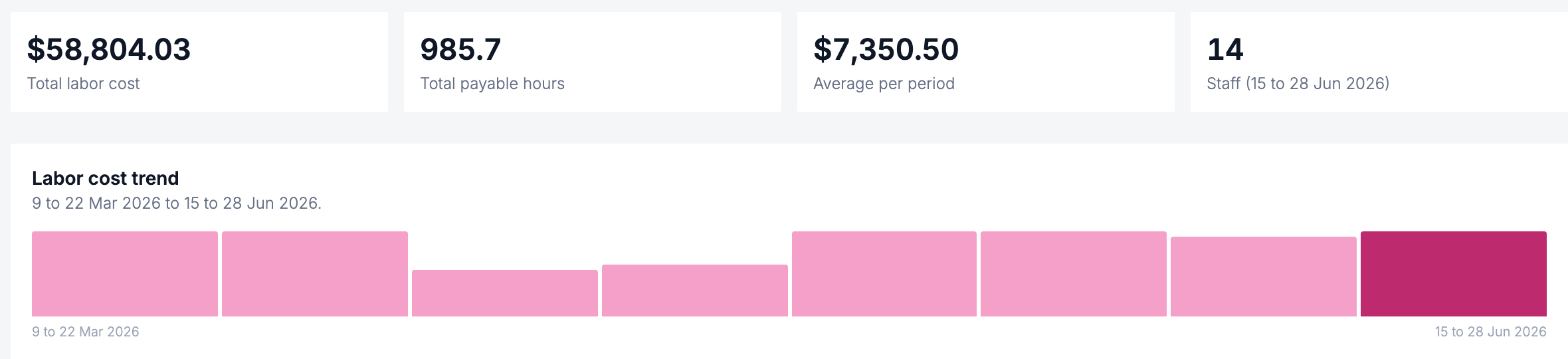
Every pay run rolls up into labour cost over time, so you can see the trend by period and understand your biggest line of spend.
- Cost per period
- Per staff member
- Per payable hour
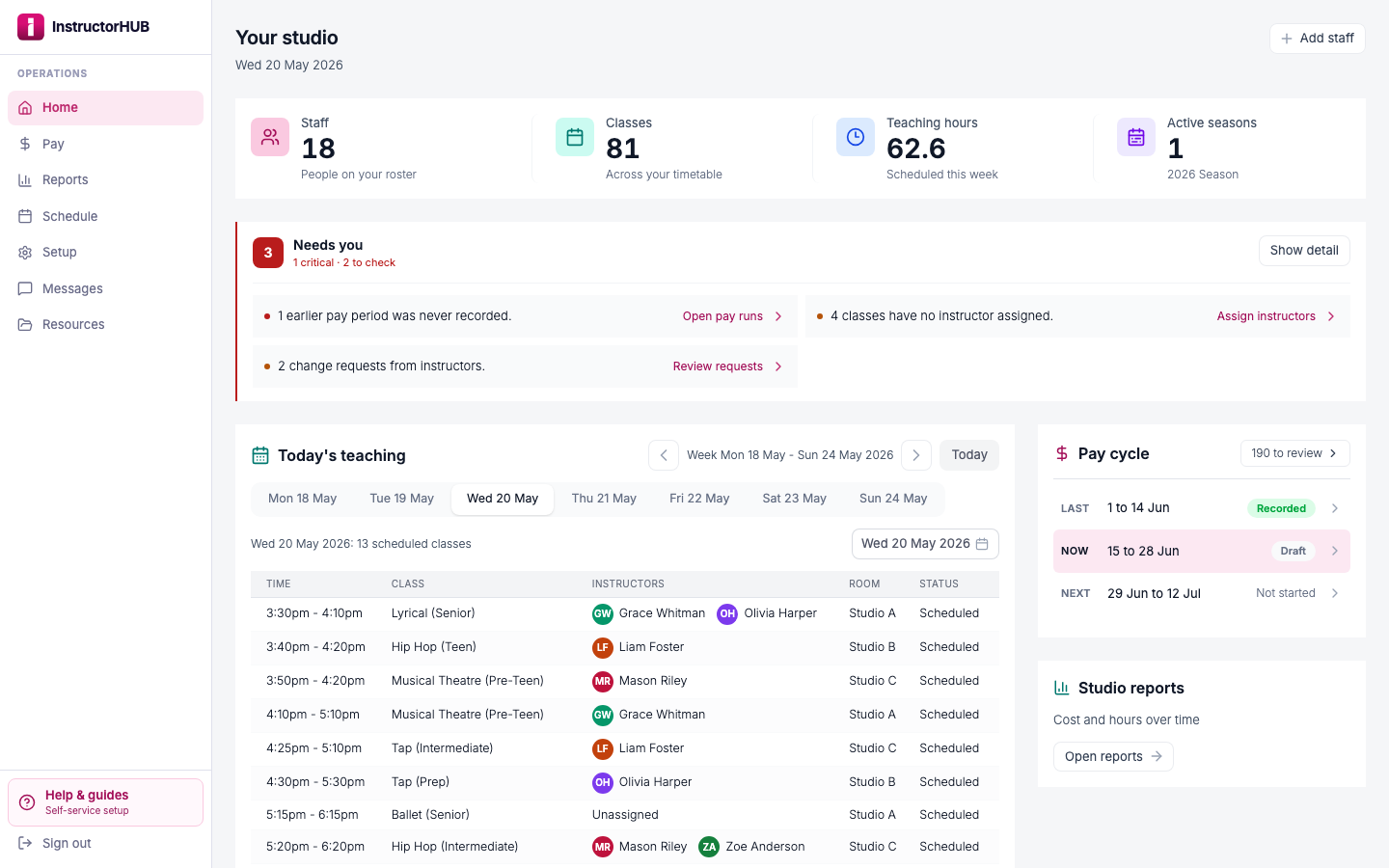
Bring in the timetable you already keep and your instructors come with it. From there the hours fill themselves in, you approve them in bulk, then run pay and export it, all from a workspace your team actually wants to open. Built for dance, music, gymnastics, and every class-based studio.
Set up your own studio in minutes, no credit card required to start.
Most studios still run staff pay on texts, paper, and a spreadsheet someone rebuilds every fortnight. InstructorHUB turns the timetable you already keep into the whole pay week.
Pay week today
Pay week with InstructorHUB
A “what were your hours?” text to every instructor, every fortnight.
Every class on your timetable becomes a timesheet line for whoever taught it.
Sign-in sheets copied into timesheet_FINAL_v3.xlsx, one line at a time.
They check their week, add anything extra, and submit in their own portal.
Working out who took whose class, then fixing the hours by hand.
Mark someone absent, pick the cover, and the hours follow whoever taught.
Rates and totals worked out again, line by line, in a spreadsheet.
Rates apply themselves. Approve in bulk and export a bookkeeping-ready file.
There is nothing to retype. Bring in the schedule you run today and InstructorHUB builds your classes and your team from it, so the first thing you see is your own studio.
Upload the spreadsheet you already have, from Excel, Numbers or a CSV, or paste the rows straight from Google Sheets. Columns are detected for you, and you see every class before anything is saved.
Every name in the file is matched to your team. Anyone new gets their own staff record, and when a name is spelled differently you tell InstructorHUB once and it remembers.
Choose how each person is paid, add their rate, and invite them to their portal. From there the hours come straight from the classes you imported.
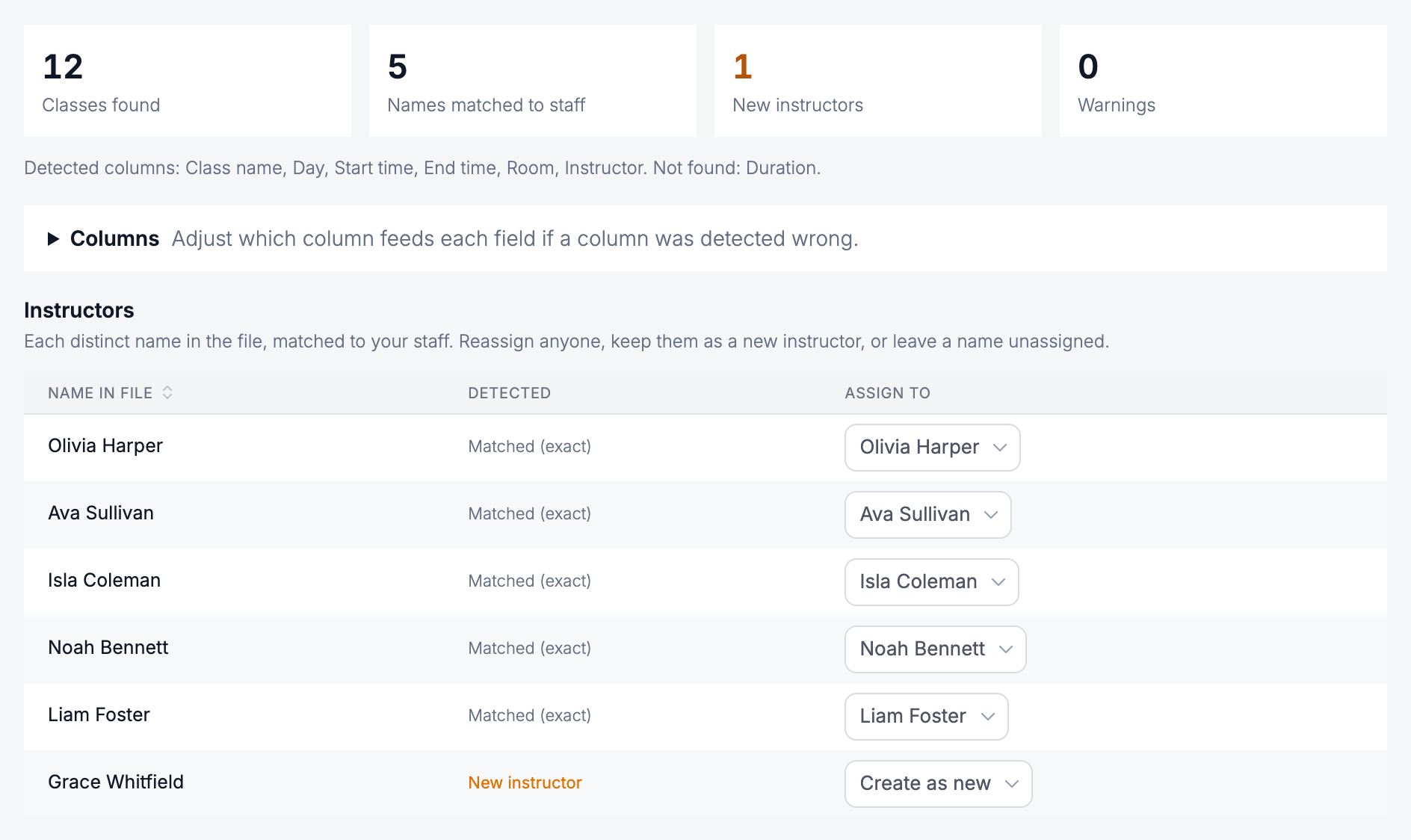
The class schedule you already keep becomes the engine for everything downstream. Set it once and the hours, the approvals, and the pay all flow from it, in that order.
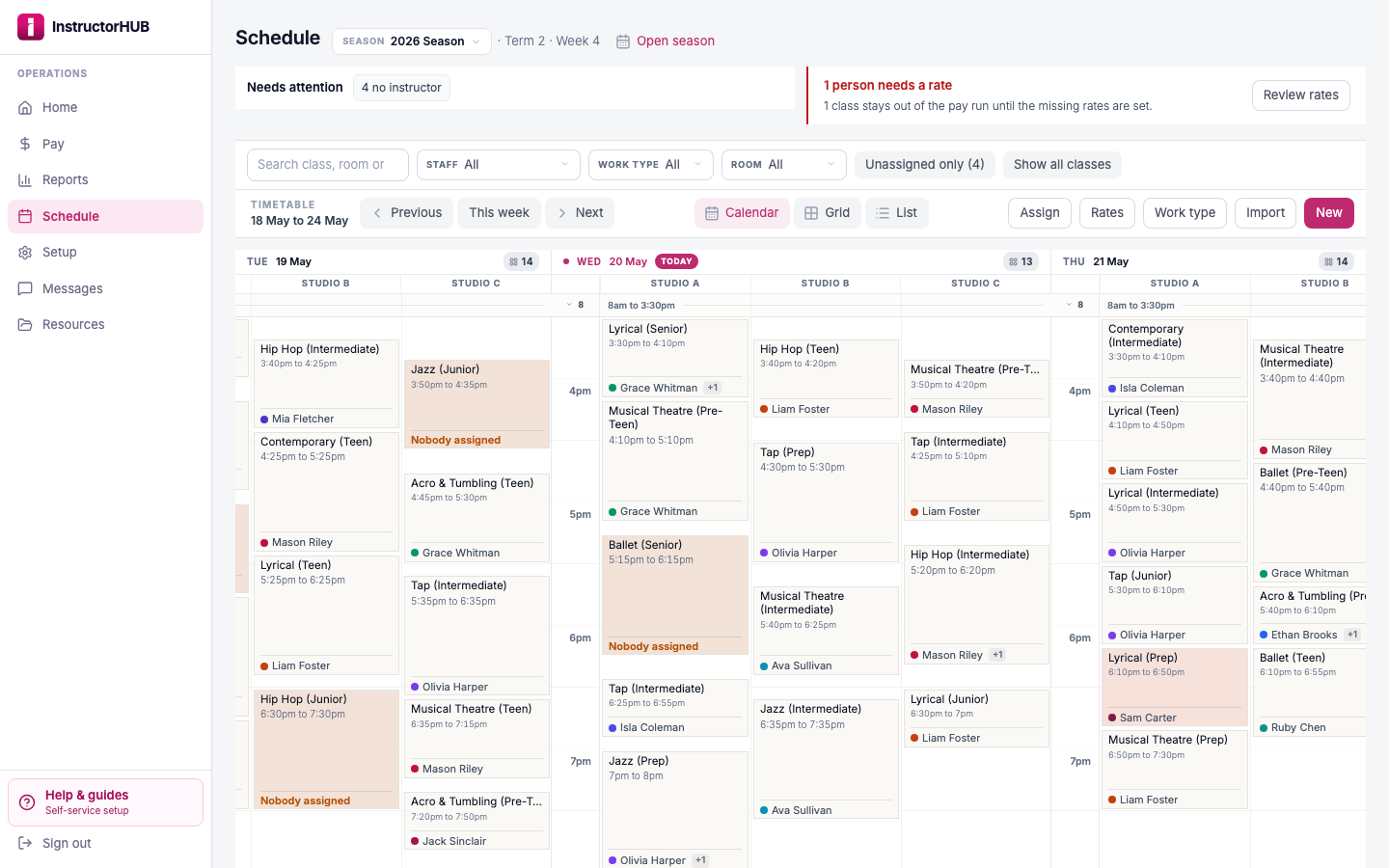
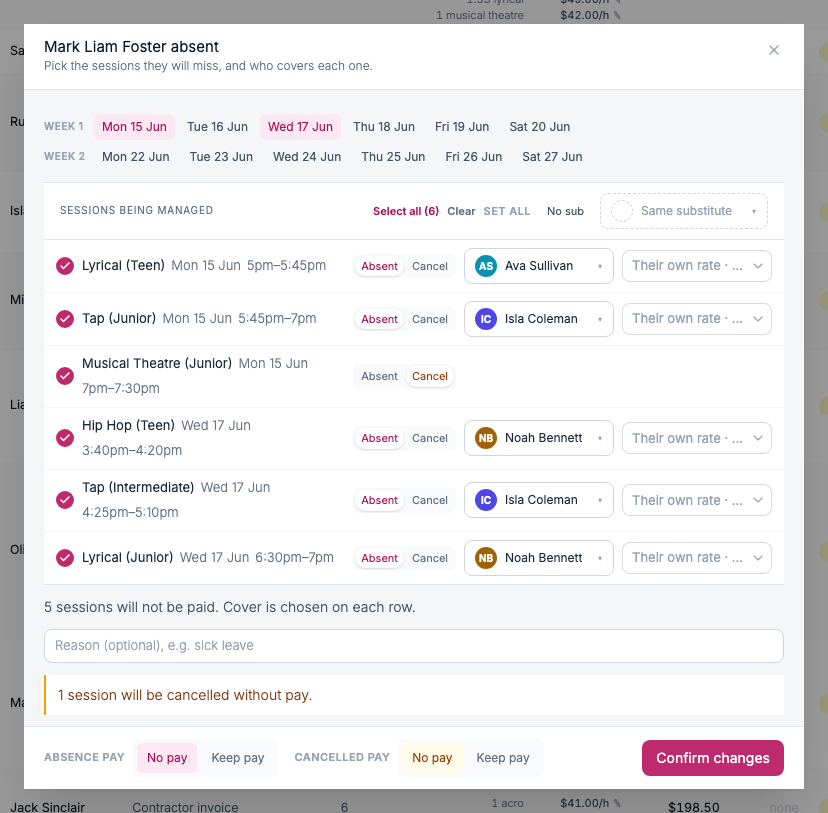
When an instructor can't make it, mark them absent from the timetable, today's teaching, or the pay run. Every class they would have taught is laid out in one place: give each class its own cover, cancel the one nobody can take, and decide whether the absence is paid. Two teachers trading classes for the day works the same way, and your regular timetable is never touched.
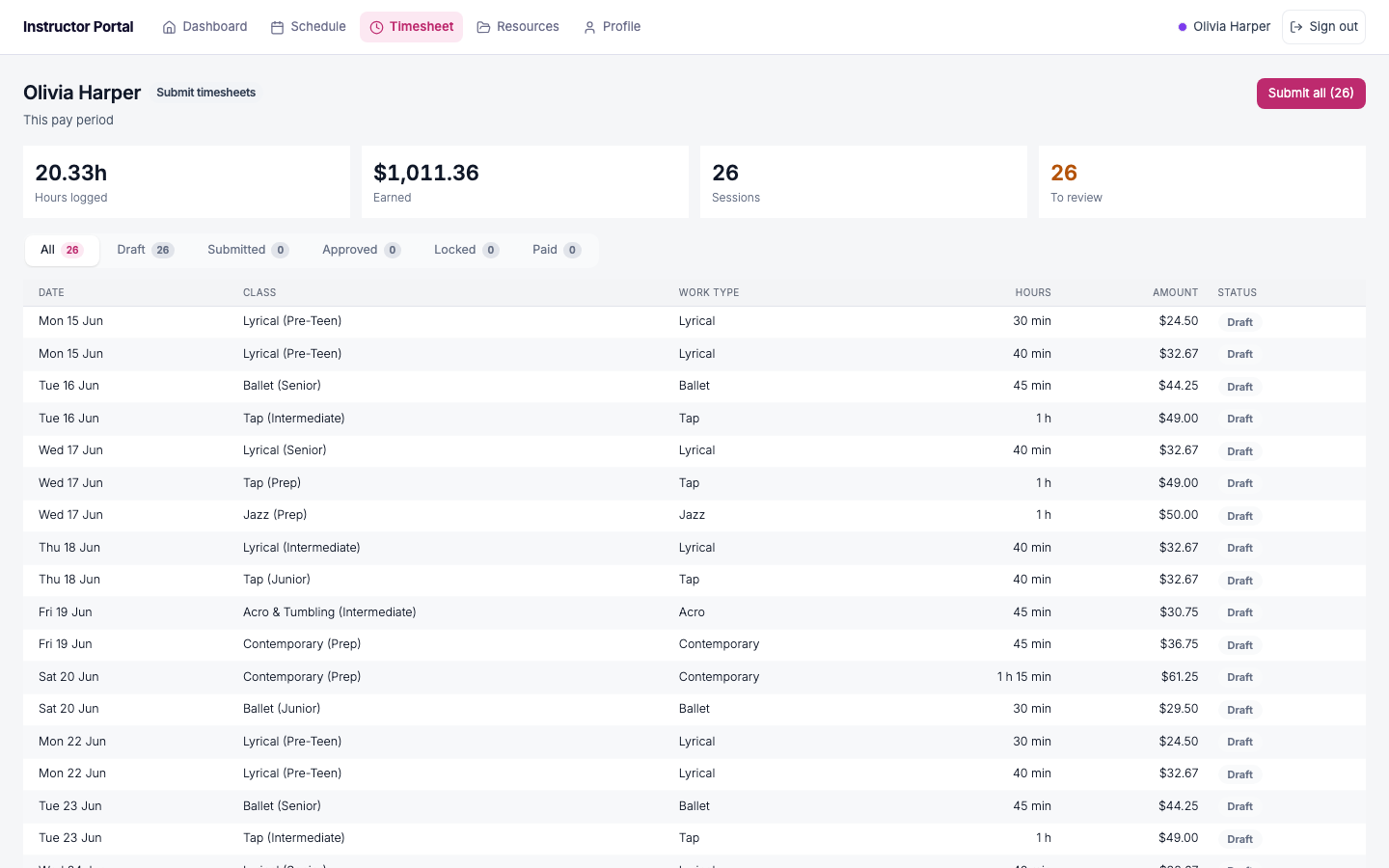
Because hours come from the timetable, nobody starts from a blank sheet. Instructors check what is already there, add anything extra, and submit. You see the whole team's hours move through one clear lifecycle.
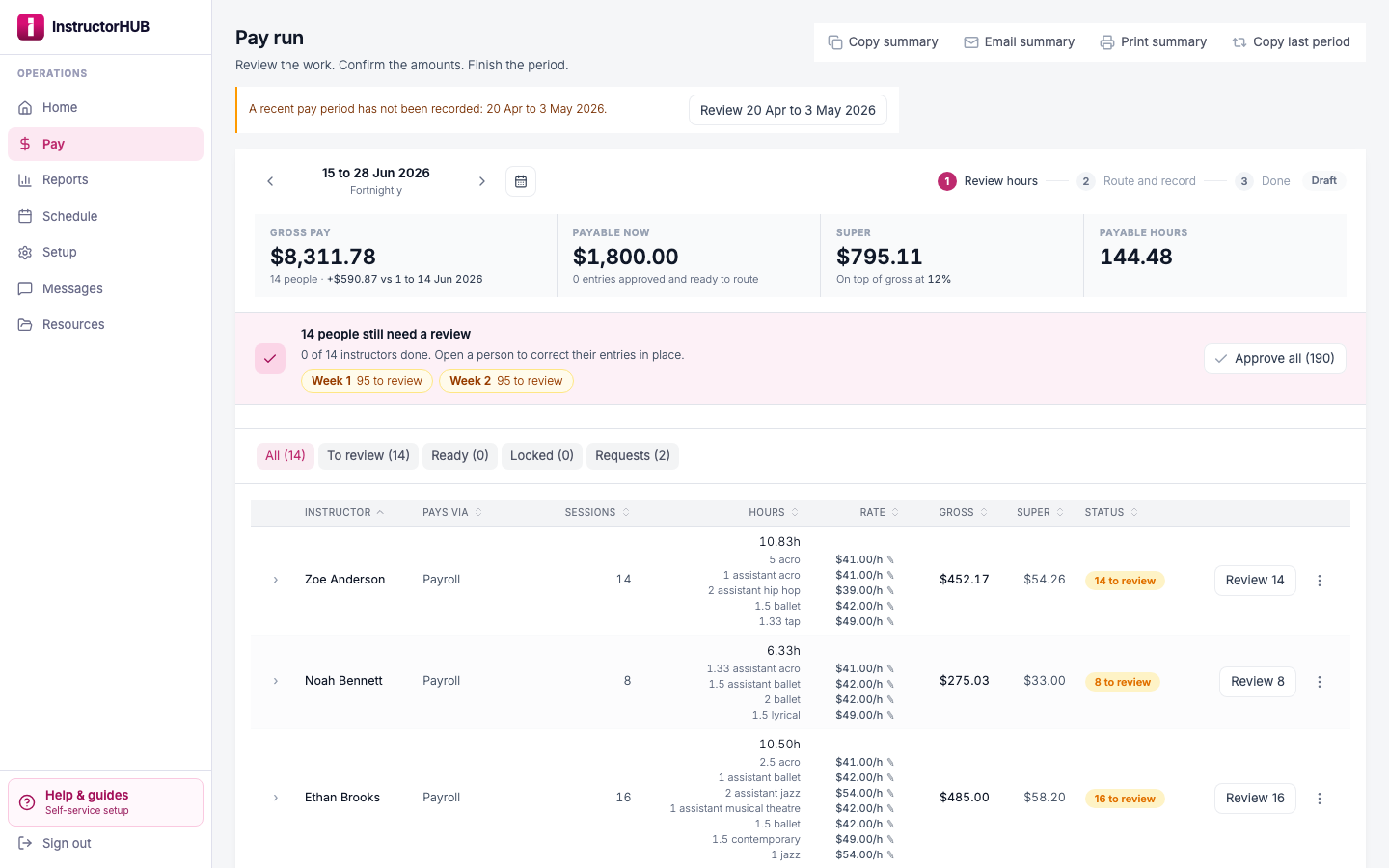
The pay cockpit walks you from draft to done: review the hours, confirm the totals, then route and record. It shows gross pay and an employer-contribution estimate for every instructor, so you can see the run clearly before you commit it.
Cost reporting, compliance paperwork and the files your team relies on live in the same workspace as your hours and pay, so nothing sits in a separate spreadsheet or inbox.
Every pay run rolls up into labour cost over time, so you can see the trend by period and understand your biggest line of spend.
Set the documents every instructor must hold, from a Working with Children Check to First Aid, and track expiry and references in one place.
Document requirements →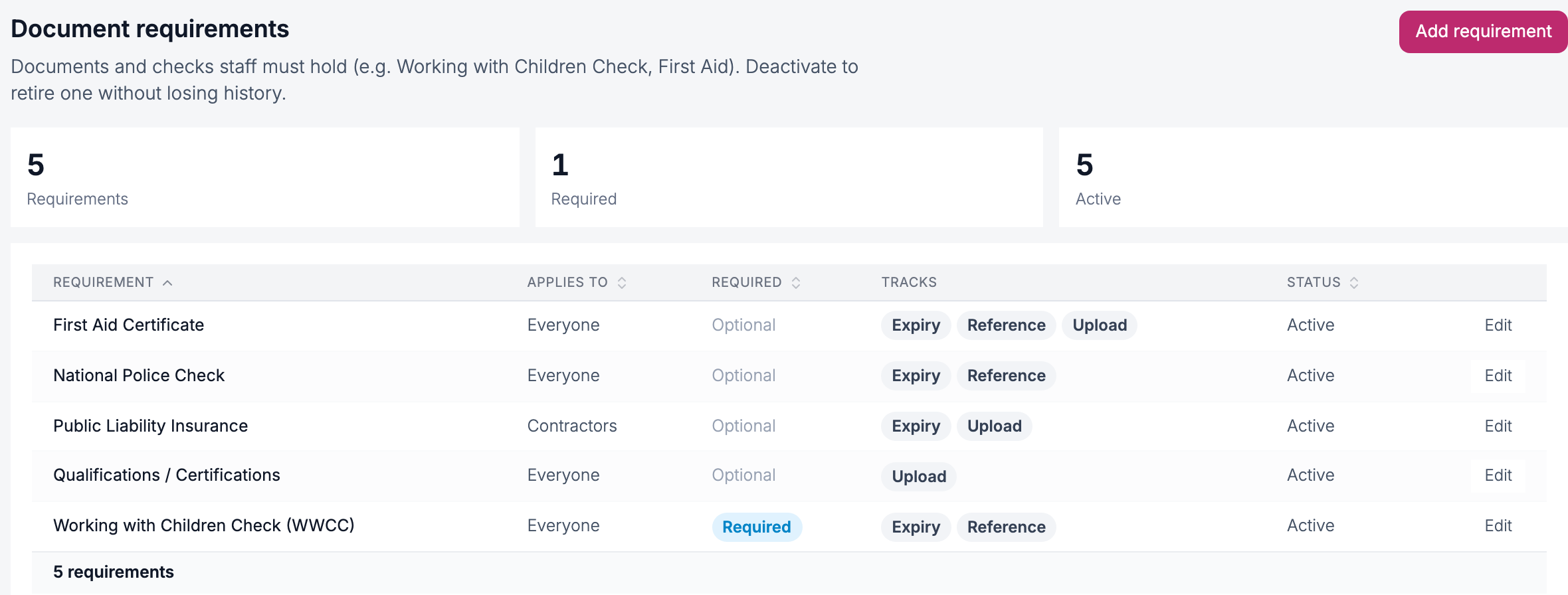
Choreography, handbooks, forms and music in folders, with access set per item, so instructors see exactly what you give them.
Share files with your team →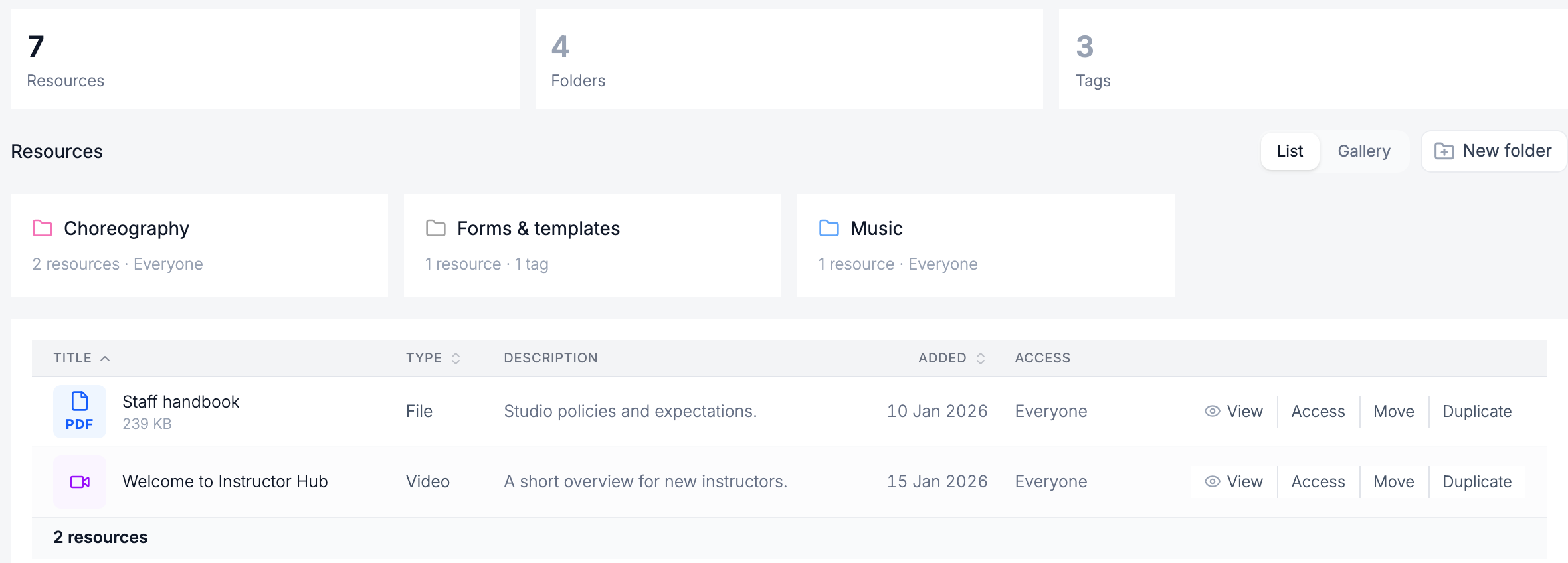
InstructorHUB is two sided. You get the owner workspace; your team gets their own branded portal to log hours, check their schedule, and see their pay, on the web and as a mobile-friendly web app on their phone.
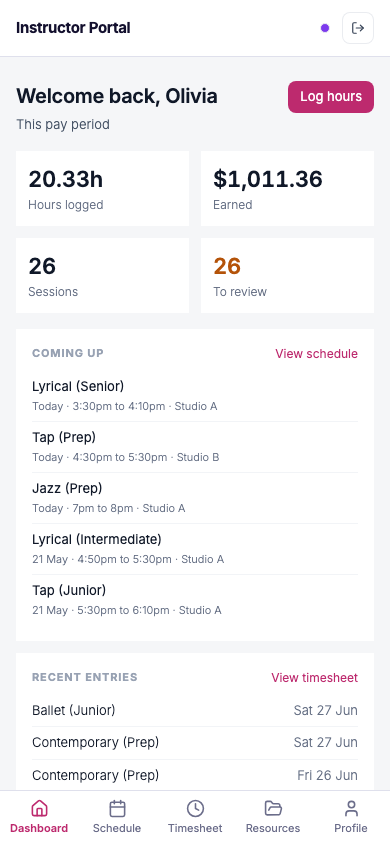
Hours logged, earned so far, sessions, and what is coming up, all in one branded home.
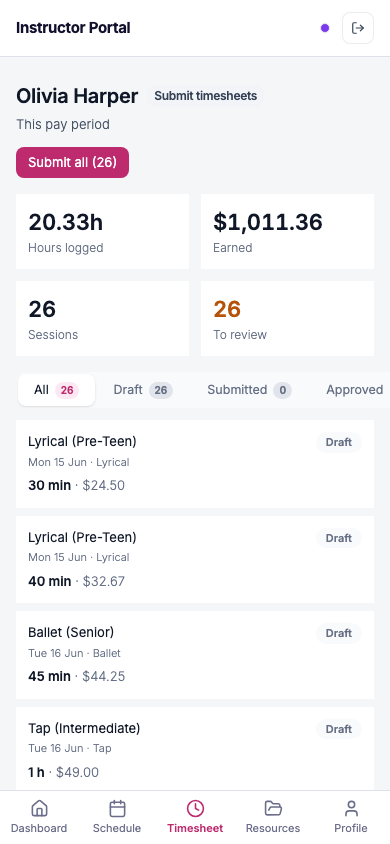
Instructors check and submit their timesheet from the couch, not by texting you a photo of a paper sheet.
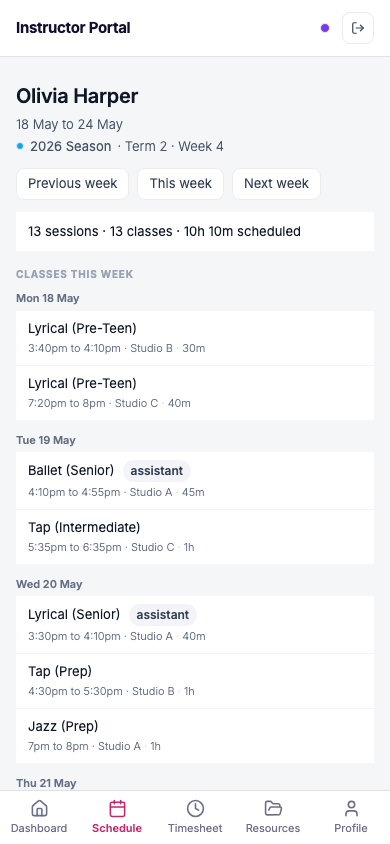
Every class, room, and time for the week, in a portal that works like an app. Nothing to download.
One monthly price, however many instructors you have, with every feature included. Try it free on your own timetable first.
US$9.95 per month for your first year, then US$19.95 per month. Every staff member, every pay run, every feature. Start with a 14 day free trial, no card.
Start free trialNo. InstructorHUB surfaces gross pay and an employer-contribution estimate so you can see and run your pay clearly. It does not calculate, withhold, or file your studio's tax. The tax treatment stays with your bookkeeping, which is exactly where it belongs.
Yes. Each pay run exports a bookkeeping-ready CSV file that you bring into Xero, MYOB, or QuickBooks. It is a file you download and import on your side, not a live connection to your accounting platform.
From your timetable. You import the class schedule once, and the hours for each pay period generate from who taught what. Instructors review and add anything extra, then submit. Nobody retypes a timesheet from scratch.
See how hours are generated →Mark them absent and you see every class they would have taught that day, or across several days. Pick a substitute for each class, or one for all of them, or cancel a class for the day. The absent instructor's hours come off, the substitute's hours appear in the pay run marked as cover, and you choose whether the absence is paid. Change your mind later and undoing the absence takes the cover off with it.
No. InstructorHUB works for any class-based studio that pays teaching staff, dance, music, gymnastics, swim, martial arts, and more. If your team teaches on a timetable, it fits.
Yes. Every instructor gets their own branded portal to log hours, check their schedule, and see their pay, on the web and as a mobile-friendly web app on their phone. It is a separate, staff-facing surface, not a view of your admin.
Most of setup is one import. Upload the timetable you already keep, from Excel, Numbers or a CSV, or paste it from Google Sheets. InstructorHUB detects the columns, shows you every class before anything is saved, and matches each instructor to your team, adding anyone new. Then set how each person is paid and invite them to their portal.
Import your timetable to get started →Start free today. Import your timetable, run your first pay period, and see how much of the week InstructorHUB hands back to you.